I’m sorry there was no newsletter last week! I took a few days of vacation now that the bulk of the renovation is over, which was very nice, but things were a bit of a whirlwind when I got back, and I didn’t have time to put one together. Thanks for your patience!
Renovation Updates
Arch Stenciling
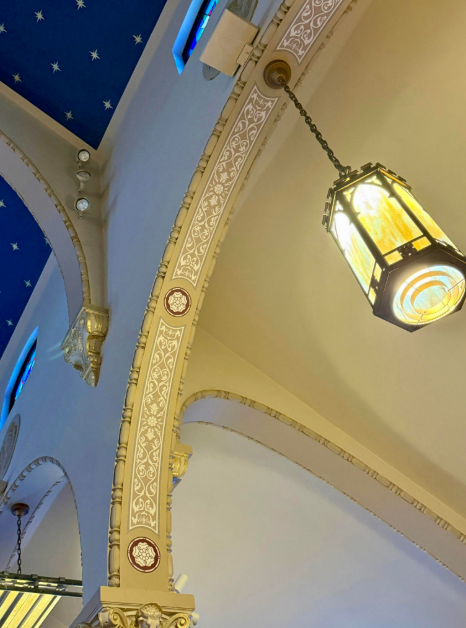
Our contractors have continued to make good progress over the last couple of weeks. As I mentioned last weekend at Ma, the decorative stencils have now been completed on the lower arches (as you can see in the photo), and this week the team went up on scaffolding to place the stencils on the higher arches as well.
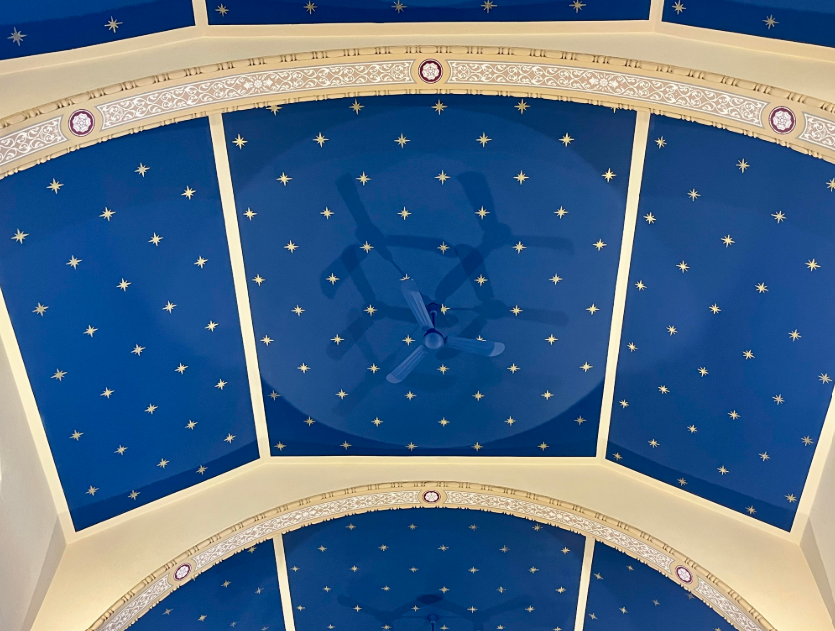
We also reviewed design options for the stenciling that will go on the two blank walls on either side of the high altar. Once those are finalized, they will add an important finishing touch to the sanctuary.
We also reviewed design options for the stenciling that will go on the two blank walls on either side of the high altar. Once those are finalized, they will add an important finishing touch to the sanctuary.

Painting Progress
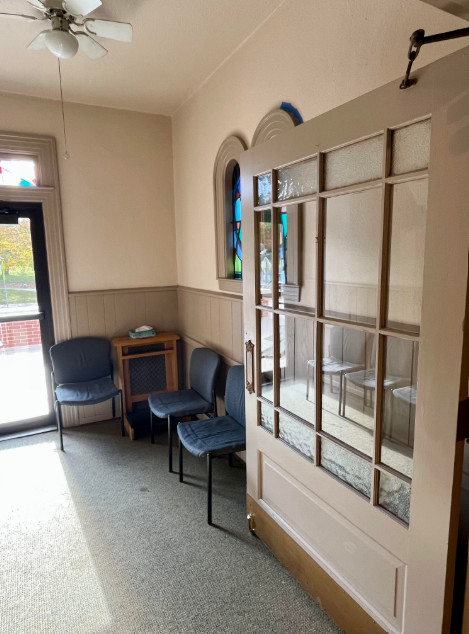
The two back side hallways and the cry room have all been painted, including the window frames, door frames, and doors. The final steps in those areas will be installing new carpeting and the floor baseboards.
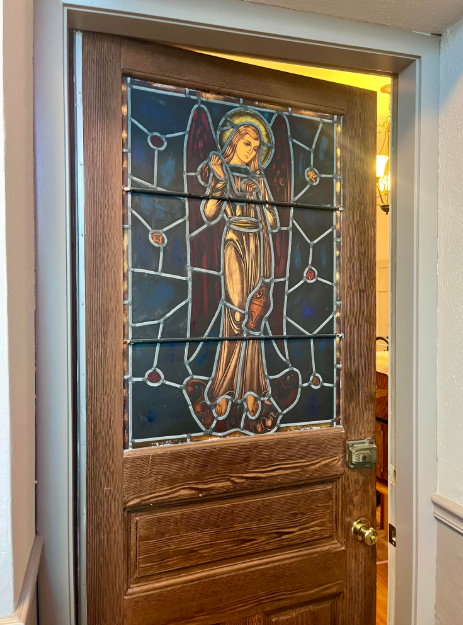
Additionally, the third and final stained glass door we received from Our Lady of Perpetual Help was installed this week. It now leads from the side hallway into the Adoration Chapel, and it's a beautiful addition to that space.
All Saints & All Souls – Next Weekend
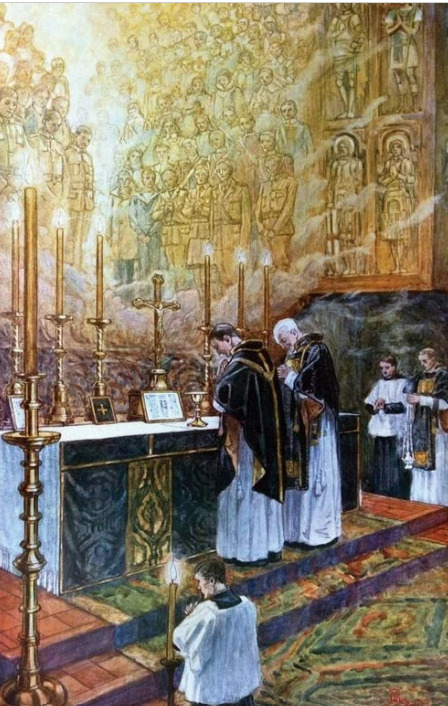
Next weekend brings two beautiful days in the Church’s calendar. All Saints Day (November 1) falls on a Saturday this year, so the usual holy day obligation is lifted. However, we will still celebrate Mass at 9:00am on Saturday for those who would like to honor the feast. All Saints Day is when we rejoice in the countless men and women, known and unknown, who live forever in the presence of God, and who pray for us.
All Souls Day (November 2) falls on Sunday this year, which means that next Sunday’s Masses will be the Masses of All Souls rather than the usual Sunday in Ordinary Time. On this day, the Church prays intentionally for all the faithful departed: our family members, friends, and parishioners who have died, and who are being prepared by God to share in the joy of heaven. We commend them to God’s mercy with love and hope.
All Souls Day (November 2) falls on Sunday this year, which means that next Sunday’s Masses will be the Masses of All Souls rather than the usual Sunday in Ordinary Time. On this day, the Church prays intentionally for all the faithful departed: our family members, friends, and parishioners who have died, and who are being prepared by God to share in the joy of heaven. We commend them to God’s mercy with love and hope.
Candlelight Procession to Acushnet Cemetery
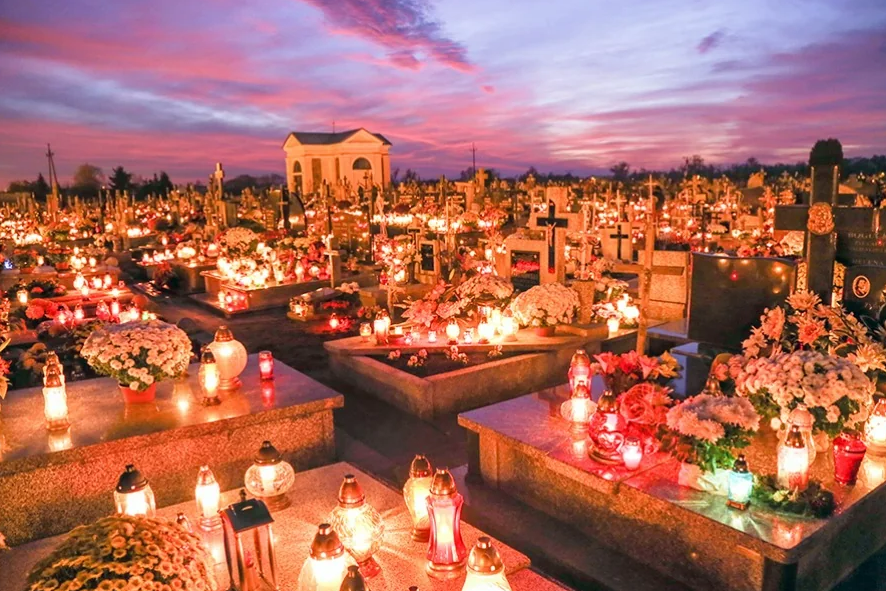
Image: Cemetary in Poland on All Souls Day
Immediately after the 4:00pm Mass next Saturday, we will hold our annual candlelight procession to Acushnet Cemetery. We will walk together with candles and pray for the souls of the departed. Once we arrive at the cemetery, we will especially remember and pray for parishioners who have died in the past year. All are welcome to join us.
Memorial Board for the Month of November
We will also continue the tradition of our Memorial Bulletin Board in the church throughout November. You are invited to bring a photo of your deceased loved ones next weekend and pin it to the board in the church. These will be placed near the altar for the month as a reminder for us to pray for your loved ones. Thumbtacks will be provided, and you may pick up your photos at the end of the month.
Baby Bottle Fundraiser - Please Return Bottles this Weekend

Thank you to everyone who took home a baby bottle for our Respect Life Month fundraiser supporting Abundant Hope Pregnancy Resource Center in Attleboro. If you still have your bottle, please bring it back to church this weekend filled with coins, cash, or a check (made out to Abundant Hope).
Your generosity directly supports mothers and families in crisis right here in our own diocese. Thank you for your kindness, and for helping us uphold the dignity of every human life.
Your generosity directly supports mothers and families in crisis right here in our own diocese. Thank you for your kindness, and for helping us uphold the dignity of every human life.
This Week at St. Francis Xavier School
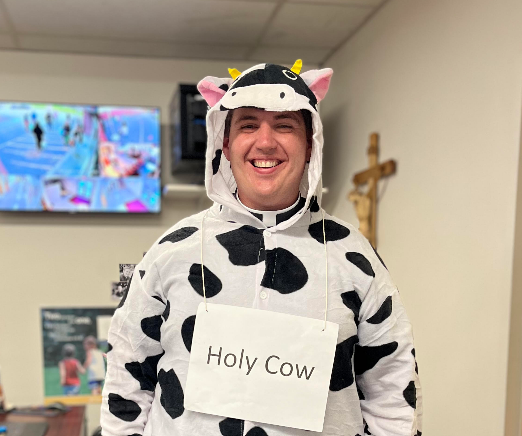
I returned last Friday just in time for our annual Halloween Night at the school. It’s a tradition for the staff to dress up in costume while the students and their families make their way through the halls for trick-or-treating. (You can see my awesome costume below.) The 8th grade also put on their annual Haunted Stage, and they did a great job. It’s one of their fundraisers for the year and something they look forward to.
On Tuesday, we had our first school Mass of the year in the church. We are only holding a few school Masses in the church this year for safety reasons, so it was especially meaningful to gather there together. It was the students’ first time seeing the renovated church since June, and their reaction was wonderful. They were amazed by the beauty of the church.
At Mass, I preached about one of the newly canonized Saint Bartolo Longo, who is on our bulletin cover this weekend. Bartolo has one of the most remarkable conversion stories in recent Church history, and as we prepare for All Saints’ Day next week, I encouraged the students to look to the saints of our own era whom I often highlight on our bulletin covers, not only as ideas for their All Saints Day costumes, but even more as real friends and examples to inspire them to holiness.
At Mass, I preached about one of the newly canonized Saint Bartolo Longo, who is on our bulletin cover this weekend. Bartolo has one of the most remarkable conversion stories in recent Church history, and as we prepare for All Saints’ Day next week, I encouraged the students to look to the saints of our own era whom I often highlight on our bulletin covers, not only as ideas for their All Saints Day costumes, but even more as real friends and examples to inspire them to holiness.
SFX School Raffle Calendars – Due This Monday
If you took home a raffle calendar, please return your entry stub by this Monday so you’ll be included in the prize drawings for November. You can hand it to me after Mass this weekend, or drop it off in the church office on Monday.
And if you haven’t purchased a calendar yet, I’ll be at the doors after Mass this weekend. They’re $10 each, and 100% of the proceeds support our parish school.
Thank you for supporting our students!
And if you haven’t purchased a calendar yet, I’ll be at the doors after Mass this weekend. They’re $10 each, and 100% of the proceeds support our parish school.
Thank you for supporting our students!
High School Youth Group – Pumpkin Launch Night!

All high school students are invited to join us for our next High School Youth Group meeting on Sunday, October 26th, from 6:30–8:30pm in the school gym.
We’ll be launching pumpkins with a giant slingshot and (if all goes according to plan) a homemade catapult for a giant game of “Angry Birds.”
Bring a pumpkin and a friend and come ready for some fun!
We’ll be launching pumpkins with a giant slingshot and (if all goes according to plan) a homemade catapult for a giant game of “Angry Birds.”
Bring a pumpkin and a friend and come ready for some fun!
RSVP to Mr. Hamel: jayhamel8@yahoo.com
Religious Education Holy Hour
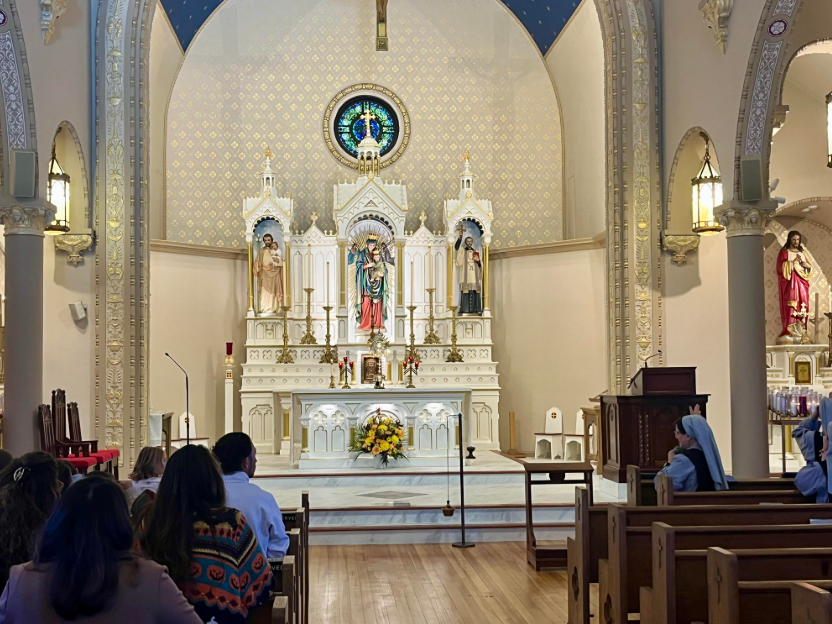
Last Sunday morning, we held our first Holy Hour for our Religious Education program in between the morning Masses. We were blessed to welcome the Maronite Sisters, who led us in a beautiful time of guided prayer and reflection before the Blessed Sacrament.

Looking for deeper insight into this weekend’s readings? Check out this reflection from my favorite biblical scholar, Dr. John Bergsma
On the Bulletin Cover this Weekend...
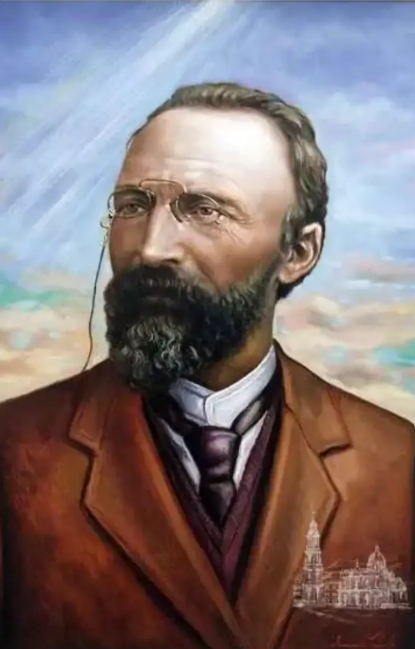
Saint Bartolo Longo (10 February, 1841 – 5 October, 1926)
Canonized last Sunday October 19, 2025
A brilliant Italian law student who plunged into satanic priesthood before a dramatic conversion, after which he dedicated his life to promoting the Rosary, building schools and orphanages around Pompeii, and became known as the “Apostle of the Rosary.”
Canonized last Sunday October 19, 2025
A brilliant Italian law student who plunged into satanic priesthood before a dramatic conversion, after which he dedicated his life to promoting the Rosary, building schools and orphanages around Pompeii, and became known as the “Apostle of the Rosary.”
SVDP Thanksgiving Drive
The SVDP Thanksgiving food drive has started. We are asking for nonperishable food donations of stuffing, cranberry sauce, olives, pickles, salad dressing, gravy, canned vegetables, boxed & canned potatoes, cake/brownie/cookie/cornbread mixes, jello/pudding mixes and coffee & tea. Grocery gift cards are also needed and can be purchased at the parish office. If you or anyone you know needs a little help through the holidays please let us know by calling Gayle at 508-971-3791.
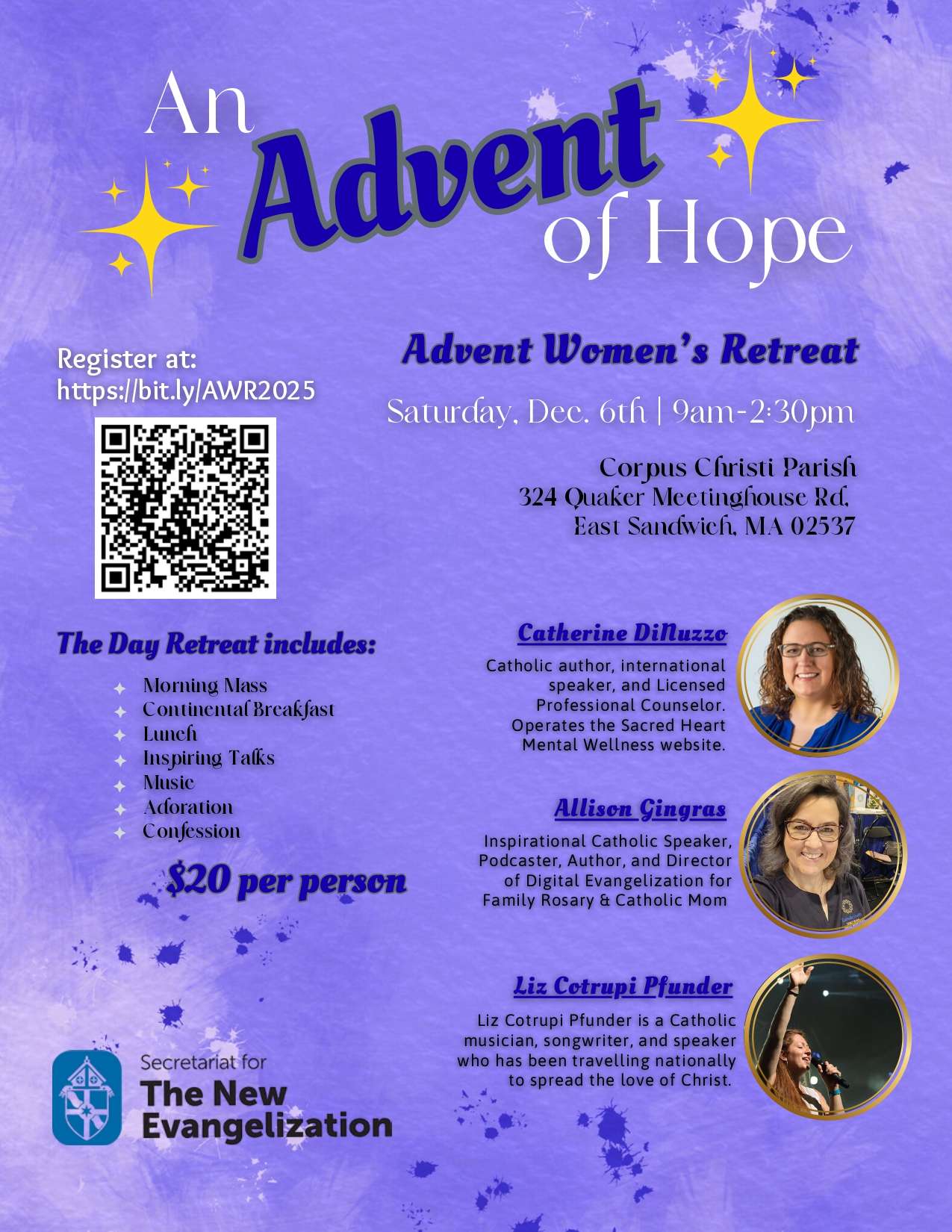
Diocesan Advent Women's Retreat - Dec 6th
Upcoming Marriage Encounter Retreat

New Permanent Diaconate Class Forming
Bishop da Cunha has authorized the formation of a new class of Permanent Deacons for our diocese. For men who may feel called to this vocation, the Aspirancy Phase will begin in the fall of 2027. Any men interested please reach out to me by email.
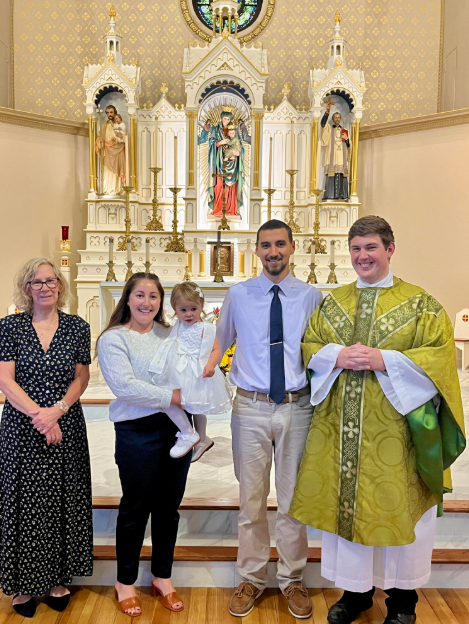
Baptism Congratulations to Ava - October 19th
40 Days for Life - Prayer Vigil Tomorrow
Tomorrow morning, Saturday, October 25, parishioners from St. Francis Xavier and St. Julie Billiart will be participating in the 40 Days for Life prayer vigil at the abortion clinic in Attleboro. We will be there from 6:00am to 2:00pm.
During these 40 days, individuals and parish groups gather to pray peacefully as a witness to the dignity of every human life. The gathering point is Cyril M. Angell Park, just across from the clinic.
All are welcome to stop by, even for just a few minutes, to say a prayer, pray a decade of the rosary, or simply be present in quiet solidarity.
During these 40 days, individuals and parish groups gather to pray peacefully as a witness to the dignity of every human life. The gathering point is Cyril M. Angell Park, just across from the clinic.
All are welcome to stop by, even for just a few minutes, to say a prayer, pray a decade of the rosary, or simply be present in quiet solidarity.
Advent Online Bible Study – Begins November 5
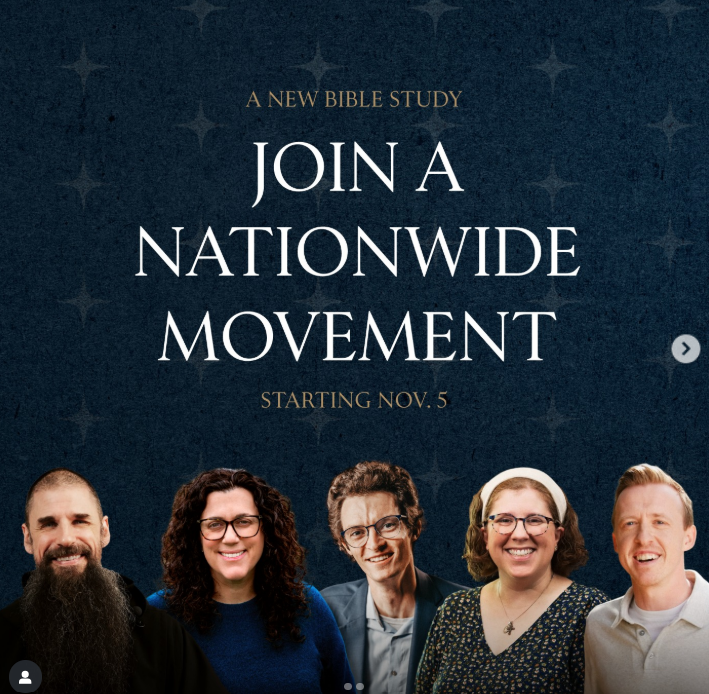
This Advent, you’re invited to join Catholics from around the country for a virtual Bible Study as we prepare our hearts for the coming of Christ. Each week, they will gather to pray with Scripture, reflect together, and encourage one another in discipleship.
The study begins on Tuesday, November 5 at 7:30pm (EST) and will run for seven weekly sessions, carrying us through Advent and up to Christmas.
The study begins on Tuesday, November 5 at 7:30pm (EST) and will run for seven weekly sessions, carrying us through Advent and up to Christmas.
ListenWiFi – Hearing Assistance System
Thank you to those who stayed after Mass last weekend to learn how to use our new ListenWiFi hearing assistance system. If you were not able to stay, I am very happy to meet with you personally at any time to show you how it works.
Below are instructions for using the system:
Below are instructions for using the system:
- The church sound system must be on in order to connect. (It is normally turned on at least 30 minutes before Mass.)
- You must be inside the church to access the audio feed.
- On your phone, connect to the church WiFi. (Network: SFX Acushnet • Password: 125main02743)
- Make sure your hearing aids are connected to your phone via Bluetooth (if applicable).
- Download the “ListenWiFi” app from the App Store or Google Play.
- Open the app. Make sure Location Services are enabled so it recognizes you are at SFX.
- The first time you use it, you may need to close and reopen the app once or twice. Then select the “Audio Feed” and press play. The sound should now stream directly to your hearing aids, earbuds, or headphones.
For those who do not use hearing aids, we also have individual receiver packs with headphones available. Just ask me before Mass, and I will be happy to provide one.
- On your phone, connect to the church WiFi. (Network: SFX Acushnet • Password: 125main02743)
- Make sure your hearing aids are connected to your phone via Bluetooth (if applicable).
- Download the “ListenWiFi” app from the App Store or Google Play.
- Open the app. Make sure Location Services are enabled so it recognizes you are at SFX.
- The first time you use it, you may need to close and reopen the app once or twice. Then select the “Audio Feed” and press play. The sound should now stream directly to your hearing aids, earbuds, or headphones.
For those who do not use hearing aids, we also have individual receiver packs with headphones available. Just ask me before Mass, and I will be happy to provide one.
Adoration Chapel Work Reminder
Work has now begun in the Adoration Chapel, thanks to several dedicated volunteer parishioners who are helping with the repairs and improvements. It will likely take several weeks before we can return to the chapel for Adoration, so thank you for your continued patience.
In the meantime, Adoration will remain in the elevator room on the usual schedule.
In the meantime, Adoration will remain in the elevator room on the usual schedule.
*Please do not enter the Adoration Chapel until it has been officially reopened, as it is currently unsafe to be back there while work is underway.*
I’m hoping that once the renovation work in the church is complete, we’ll be able to have Adoration in the main body of the church. More details on that soon.
100th Anniversary Commemorative Items
If you placed an order for our parish sweatshirts or t-shirts, they are now available for pickup in the parish office. You can stop in during office hours this week.
Commemorative tiles are also available for purchase and pick-up in the parish office for $50 each. These keepsakes are a wonderful way to celebrate our parish’s 100th anniversary and support the renovation project.
Commemorative tiles are also available for purchase and pick-up in the parish office for $50 each. These keepsakes are a wonderful way to celebrate our parish’s 100th anniversary and support the renovation project.
Mass Times
Sunday: 8:00 AM | 10:30 AM
Saturday Vigil: 4:00 PM
M, T, Th, F, S: 9:00 AM
Sunday: 8:00 AM | 10:30 AM
Saturday Vigil: 4:00 PM
M, T, Th, F, S: 9:00 AM
First Friday: 9:00 AM | 6:00 PM
Adoration Times
Monday-Friday
6:30am-8:45am, 9:30am-8:30pm
6:30am-8:45am, 9:30am-8:30pm
Wednesday
6:30am-8:30pm
Saturday
6:30am-8:45am, 9:30am-2:45pm
6:30am-8:30pm
Saturday
6:30am-8:45am, 9:30am-2:45pm
Confession Times
Monday: 5:30–6:30 PM
Saturday: 9:30–10:00 AM | 3:00–3:45 PM
Monday: 5:30–6:30 PM
Saturday: 9:30–10:00 AM | 3:00–3:45 PM
First Friday: 6:45–7:15 PM
Anytime by Appointment
To add someone to this weekly newsletter, they can either text the word ACUSHNET to 84576 or sign up at sfxparish.flocknote.com.